Author: Predrag

  • How to Disable PDF Invoice Downloads for Offline or Manual Payments in MemberPress

    Summary

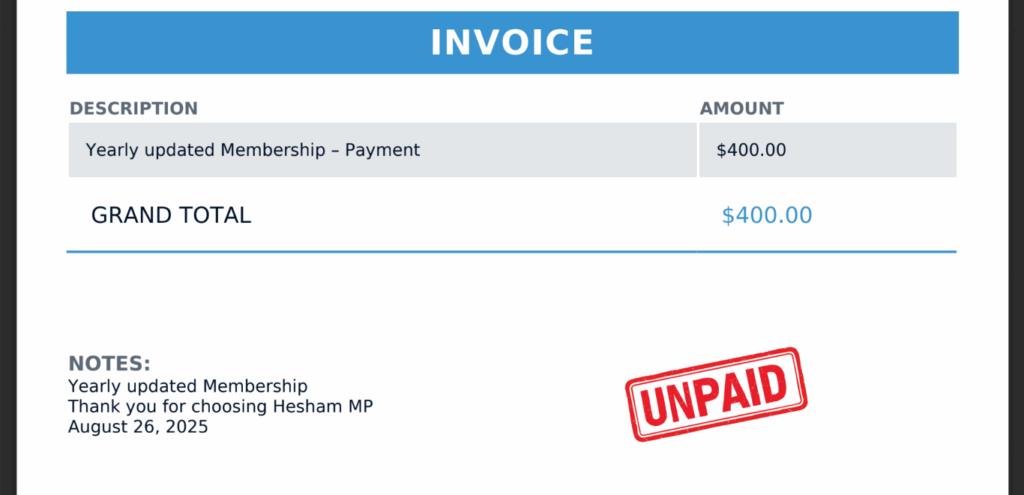
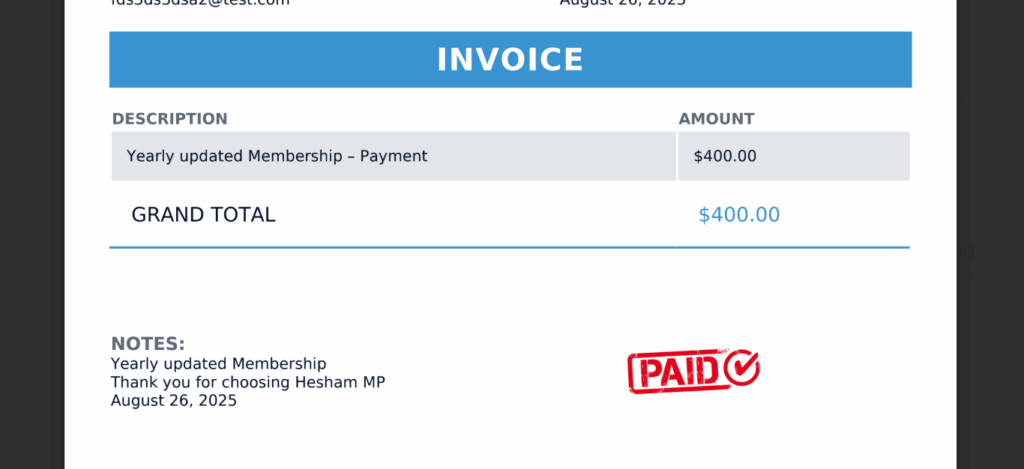
    By default, MemberPress does not include a built-in setting to disable PDF invoice downloads based on payment method. When using the MemberPress PDF Invoice Add-On, PDF invoices are generated for all transactions regardless of gateway.

    This document explains how to disable PDF invoice downloads specifically for the Offline Gateway and optionally the Manual gateway using custom PHP code. This is a common requirement when offline transactions are invoiced separately in an external accounting system, and generating a MemberPress PDF invoice would create duplicate or misleading records.

    The solution covers blocking the PDF download request, removing the PDF link from the frontend account table and wp-admin, preventing PDF email attachments, and removing the ReadyLaunch print button — while leaving all other gateways such as Stripe or PayPal unaffected.

    Troubleshooting

    Prerequisites and Important Notes

    Before proceeding, review the following requirements and limitations.

    Requirements:

    • MemberPress PDF Invoice Add-On must be installed and active;
    • Access to add custom PHP code via a code snippet plugin or child theme;
    • A staging environment for testing before applying changes to production;

    Important limitations:

    • MemberPress does not natively support filtering PDF invoices by payment method;
    • MemberPress Support cannot create, modify, or maintain custom code;
    • Always back up your site before adding custom code;
    • If further customization is needed, consult a developer or a certified MemberPress partner;

    Disabling PDF Invoices for Offline and Manual Payments

    1) PDF Invoice Link Appears for Offline or Manual Transactions

    When the PDF Invoice Add-On is active, a PDF download link appears in the Account Payments table and in wp-admin for all transactions, including those processed through the Offline or Manual gateways. There is no built-in setting to suppress this per gateway.

    How to Test/Fix:

    Add the following custom code snippet using Code SnippetsWPCode, or your child theme’s functions.php file.

    The code performs the following actions:

    • Blocks the AJAX PDF download request for Offline and Manual transactions, returning a 403 error;
    • Prevents PDF attachments from being added to receipt emails for those transactions;
    • Hides the “PDF” link in the frontend Account → Payments table and shows a dash instead;
    • Removes the “PDF Invoice” action link from the wp-admin transaction row;
    • Removes the ReadyLaunch “Print” button for those transactions;
    // MemberPress: Disable/hide PDF invoices for Offline (Artificial) and Manual gateways.
    // Modify the mepr_should_disable_pdf_for_txn() function to target a different gateway if needed.
    
    if (!function_exists('mepr_should_disable_pdf_for_txn')) {
      function mepr_should_disable_pdf_for_txn(MeprTransaction $txn) {
        $pm     = $txn->payment_method();
        $pm_key = (is_object($pm) && isset($pm->key)) ? $pm->key : '';
        // Offline gateway has key 'offline'; Manual static gateway is 'manual'
        if ($pm_key === 'offline') { return true; }
        if ($txn->gateway === MeprTransaction::$manual_gateway_str) { return true; }
        return false;
      }
    }
    
    // 1) Block account/admin AJAX PDF download for Offline/Manual.
    add_action('wp_ajax_mepr_download_invoice', function () {
      if (!isset($_REQUEST['action']) || $_REQUEST['action'] !== 'mepr_download_invoice') { return; }
      if (empty($_REQUEST['txn'])) { return; }
      $txn = new MeprTransaction((int) $_REQUEST['txn']);
      if ($txn->id <= 0) { return; }
      if (mepr_should_disable_pdf_for_txn($txn)) {
        wp_die(
          __('PDF invoices are not available for offline payments.', 'memberpress'),
          __('Invoice Not Available', 'memberpress'),
          array('response' => 403)
        );
      }
    }, 0);
    
    // 2) Prevent PDF attachments in receipt emails for Offline/Manual.
    add_filter('mepr_transaction_email_params', function ($params, $txn) {
      if ($txn instanceof MeprTransaction && mepr_should_disable_pdf_for_txn($txn)) {
        unset($params['pdf_txn']); // stops the add-on from generating/attaching PDFs
      }
      return $params;
    }, 20, 2);
    
    // 3) Remove add-on's "Download" header/cell hooks and replace with conditional ones
    //    (hide for offline/manual, show for all other gateways).
    add_action('plugins_loaded', function () {
    
      // Helper to remove class method callbacks without instance reference.
      if (!function_exists('mepr_remove_class_action')) {
        function mepr_remove_class_action($hook, $class, $method) {
          global $wp_filter;
          if (empty($wp_filter[$hook]) || !isset($wp_filter[$hook]->callbacks)) { return; }
          foreach ((array) $wp_filter[$hook]->callbacks as $priority => $callbacks) {
            foreach ($callbacks as $cb) {
              if (is_array($cb['function'])
                && is_object($cb['function'][0])
                && get_class($cb['function'][0]) === $class
                && $cb['function'][1] === $method
              ) {
                remove_action($hook, $cb['function'], $priority);
              }
            }
          }
        }
      }
    
      // Remove header, row cell and ReadyLaunch print button added by the PDF Invoice add-on.
      mepr_remove_class_action('mepr_account_payments_table_header', 'MePdfInvoicesCtrl', 'table_header');
      mepr_remove_class_action('mepr_account_payments_table_row',    'MePdfInvoicesCtrl', 'table_row');
      mepr_remove_class_action('mepr_readylaunch_thank_you_page_after_invoice', 'MePdfInvoicesCtrl', 'render_print_button_readylaunch');
    
      // Add our own header (same label).
      add_action('mepr_account_payments_table_header', function () {
        echo '<th scope="col">' . esc_html_x('Download', 'ui', 'memberpress-pdf-invoice') . '</th>';
      }, 10);
    
      // Add our own row cell: show PDF link for eligible gateways; show dash for Offline/Manual.
      add_action('mepr_account_payments_table_row', function ($payment) {
        if (!($payment instanceof MeprTransaction)) {
          $payment = new MeprTransaction((int) $payment->id);
        }
        $show_link = !mepr_should_disable_pdf_for_txn($payment);
        echo '<td data-label="' . esc_attr_x('Download', 'ui', 'memberpress-pdf-invoice') . '">';
        if ($show_link) {
          $url = MeprUtils::admin_url(
            'admin-ajax.php',
            array('download_invoice', 'mepr_invoices_nonce'),
            array('action' => 'mepr_download_invoice', 'txn' => $payment->id)
          );
          echo '<a href="' . esc_url($url) . '" target="_blank">' . esc_html_x('PDF', 'ui', 'memberpress-pdf-invoice') . '</a>';
        } else {
          echo '&mdash;';
        }
        echo '</td>';
      }, 10);
    
    }, 1000);
    
    // 4) Remove admin row "PDF Invoice / Proforma Invoice" link for Offline/Manual transactions.
    add_filter('mepr_admin_txn_row_action_links', function ($links, $rec, $txn) {
      if (!($txn instanceof MeprTransaction)) { return $links; }
      if (mepr_should_disable_pdf_for_txn($txn)) {
        // The add-on uses array key 'download_invoice' for both PDF and Proforma PDF links.
        unset($links['download_invoice']);
      }
      return $links;
    }, 20, 3);

    After adding the code, clear any active caching plugins and test using a transaction processed through the Offline Gateway.

    2) Targeting a Different Gateway

    The default snippet targets the Offline and Manual gateways. To disable PDF invoices for a different gateway, modify the logic inside the mepr_should_disable_pdf_for_txn() function.

    How to Test/Fix:

    Replace or add the relevant gateway key check. For example, to target Stripe instead of the Offline gateway:

    // Replace 'offline' with the desired gateway key, e.g. 'stripe' for Stripe.
    if ($pm_key === 'stripe') { return true; }

    Each gateway has a specific key identifier. To confirm the correct key for a given gateway, inspect the transaction object or check the gateway’s class definition in the MemberPress source files.

    3) PDF Still Appears After Adding the Code

    If the PDF download link or email attachment still appears after adding the snippet, the changes may not be taking effect due to caching or a code conflict.

    How to Test/Fix:

    1. Confirm the snippet is active and has no PHP syntax errors by checking Dashboard > Tools > Site Health > Info or reviewing any fatal error logs.
    2. Clear all server-side and plugin-level caches.
    3. Test in a private/incognito browser window to rule out browser caching.
    4. Confirm the transaction being tested was processed through the Offline or Manual gateway by navigating to Dashboard > MemberPress > Transactions and checking the Gateway column.
    5. If using a code snippet plugin, ensure the snippet is set to run on All Pages (front-end and back-end).

    Public Facing Documentation / Additional References

    Public Facing Documentation

    Developer Documentation

  • How to remove the .pdf extension from the pdf file URL and protect it that way

    Summary

    By default, MemberPress Downloads serves protected files using URLs that include the file extension (e.g., https://yourdomain.com/mp-files/pdf-test-8.pdf/). The MemberPress Downloads download handler supports extensionless URLs natively, meaning the extension can be omitted and the file will still be served correctly.

    This document explains how to remove file extensions from MemberPress Downloads URLs. It covers the native extensionless URL approach, its limitations with certain file types, and a custom code snippet that automatically handles extension removal based on whether the file supports browser viewing.

    Troubleshooting

    Using Extensionless URLs Natively

    The MemberPress Downloads handler supports extensionless file URLs out of the box. A file accessible at:

    https://yourdomain.com/mp-files/pdf-test-8.pdf/

    Can also be accessed using:

    https://yourdomain.com/mp-files/pdf-test-8/

    No additional configuration is needed for this to work with browser-viewable file types when the Force Viewing option is enabled.

    1) Extensionless URLs Cause Problems with Non-Viewable File Types

    Removing the file extension from URLs for non-browser-viewable file types (e.g., CSV, XLSX, DOC) — or for files where the Force Viewing option is disabled — can cause download failures or incorrect file handling.

    How to Test/Fix:

    Use the custom code snippet below to automatically manage extension removal. The snippet applies the following logic:

    • If the file is browser-viewable and the Force Viewing option is enabled, the file extension is automatically removed from the URL;
    • If the file is not browser-viewable or the Force Viewing option is disabled, the file extension is preserved;

    Add the following code snippet to the site using WPCode or a child theme’s functions.php file:

    // Remove file extension from MemberPress Downloads URLs
    add_filter('post_type_link', function($url, $post) {
        // Only process MemberPress Downloads file post type
        if ($post->post_type !== 'mpdl-file') {
            return $url;
        }
        
        // Get the file object to check if it has a filename
        $file = new \memberpress\downloads\models\File($post->ID);
        if (empty($file->filename)) {
            return $url;
        }
    
        $force_viewing = isset($file->force_viewing) ? (int) $file->force_viewing : 0;
        $is_viewable = \memberpress\downloads\helpers\Files::is_viewable_filetype($file->filetype);
        
        // If force_viewing is not enabled OR filetype is not viewable, keep the extension
        if ($force_viewing !== 1 || !$is_viewable) {
            return $url;
        }   
        
        // Remove the file extension from the URL
        // The plugin adds it as: /mp-files/filename.pdf/
        // We want: /mp-files/filename/
        $extension = $file->extension();
        if (!empty($extension)) {
            // Remove the extension and trailing slash pattern
            $url = preg_replace('/\.' . preg_quote($extension, '/') . '\/?$/', '', $url);
            // Ensure trailing slash is present
            $url = trailingslashit($url);
        }
        
        return $url;
    }, 20, 2);

    Important: This code modifies the publicly displayed file URLs generated by MemberPress Downloads. Always test on a staging environment before applying to a production site. Ensure the MemberPress Downloads add-on is active before adding this snippet.

    2) Extension Is Removed but the File Does Not Load

    After applying the snippet, the extensionless URL may not resolve correctly if server-level rewrite rules are not properly configured or if a caching plugin is serving stale URLs.

    How to Test/Fix:

    1. Navigate to Dashboard > Settings > Permalinks and click Save Changes to flush rewrite rules without making any changes.
    2. Clear all site caches, including server-level, plugin-level, and CDN caches.
    3. Test the extensionless URL in a private/incognito browser window to rule out browser caching.
    4. Confirm the Force Viewing option is enabled for the file. Navigate to Dashboard > Downloads > Files, open the file, and verify the Force Viewing setting is active.
    5. If the issue persists, temporarily disable other active plugins to check for conflicts, then re-enable them one by one to identify the source.

    3) Extension Removal Applies to Files That Should Retain Their Extension

    The snippet is designed to preserve extensions for non-viewable file types. However, if a file is incorrectly categorized or if the Force Viewing setting is enabled on a non-viewable type, the extension may be unexpectedly removed.

    How to Test/Fix:

    1. Navigate to Dashboard > Downloads > Files and open the affected file.
    2. Verify the file type. Non-browser-viewable types (CSV, XLSX, DOC, ZIP, etc.) should not have the Force Viewing option enabled.
    3. Disable Force Viewing for files that should be downloaded rather than viewed in the browser.
    4. Save the file settings and test the URL again.

    Public Facing Documentation / Additional References

    Public Facing Documentation

    Developer Documentation

  • How to Remove Expired Members in Bulk in MemberPress

    Summary

    Over time, membership sites accumulate large numbers of expired members — users whose memberships have lapsed and who no longer have active subscriptions or transactions. Manually removing these users one by one through the WordPress admin is not practical at scale. This document provides a custom code snippet that allows site administrators to identify and permanently delete expired members in bulk.

    The solution uses a two-step process: a preview (dry run) mode that shows statistics on how many members would be removed, followed by a confirmation step that performs the actual deletion. This approach ensures administrators can review the impact before committing to permanent changes.

    This document covers the full implementation process, including code setup, execution steps, and important post-cleanup actions. It also addresses common issues that may arise during the bulk removal process.

    Troubleshooting

    Removing Expired Members in Bulk

    1) Too Many Expired Members to Remove Manually

    Sites with long histories or high membership turnover can accumulate thousands of expired users. The default WordPress user management interface does not provide a built-in way to bulk-delete users based on membership expiry status. The custom snippet below queries the MemberPress members table directly to identify users with no active memberships, active transactions, or active trials.

    How to Test/Fix:

    Add the following code snippet using the WPCode plugin or by adding it to the child theme’s functions.php file. Review the MemberPress guide on adding custom code snippets for detailed instructions on both methods.

    Important: Back up the database before proceeding. Use a staging environment to test the snippet before running it on a live site.

    /**
     * MemberPress - Remove Expired Members Snippet
     *
     * Add this code to your theme's functions.php or as a mu-plugin
     *
     * USAGE:
     * 1. Add this code to functions.php (temporary)
     * 2. Visit: your-site.com/wp-admin/?remove-expired-members-snippet
     * 3. Review statistics shown in admin notice
     * 4. Click "Confirm Delete" button to actually delete
     * 5. Remove code after use
     *
     * IMPORTANT:
     * - BACKUP YOUR DATABASE FIRST!
     * - Always shows statistics first, then requires confirmation
     */
    // Hook into admin_init to check for URL parameter
    add_action('admin_init', 'mepr_remove_expired_members_handler');
    function mepr_remove_expired_members_handler() {
       // Check if URL parameter is present
       if (!isset($_GET['remove-expired-members-snippet'])) {
           return;
       }
    
       // Security check
       if (!current_user_can('manage_options')) {
           wp_die('Access denied. Administrator access required.');
       }
    
       // Check MemberPress is active
       if (!class_exists('MeprUser')) {
           add_action('admin_notices', function() {
               echo '<div class="notice notice-error"><p><strong>Error:</strong> MemberPress plugin is not active.</p></div>';
           });
           return;
       }
    
       // ===== CONFIGURATION =====
       $batch_size = 100;         // Process in batches (reduce if timeout)
       $exclude_admins = true;    // Don't delete administrators
       // =========================
    
       // Check if this is a confirmation request
       $confirmed = isset($_GET['confirm']) && $_GET['confirm'] === 'yes' && isset($_GET['nonce']) && wp_verify_nonce($_GET['nonce'], 'mepr_delete_expired');
    
       if ($confirmed) {
           // Actually delete the members
           $results = mepr_process_expired_members_removal(false, $batch_size, $exclude_admins);
           add_action('admin_notices', function() use ($results) {
               mepr_display_removal_statistics($results, false, true);
           });
       } else {
           // Preview mode - analyze but don't delete
           $results = mepr_process_expired_members_removal(true, $batch_size, $exclude_admins);
           add_action('admin_notices', function() use ($results) {
               mepr_display_removal_statistics($results, true, false);
           });
       }
    }
    function mepr_process_expired_members_removal($dry_run = true, $batch_size = 100, $exclude_admins = true) {
       global $wpdb;
       $mepr_db = MeprDb::fetch();
    
       // Get expired member user IDs
       $sql = "
           SELECT DISTINCT m.user_id
           FROM {$mepr_db->members} AS m
           WHERE m.inactive_memberships <> ''
           AND m.inactive_memberships IS NOT NULL
           AND (m.active_txn_count <= 0 OR m.active_txn_count IS NULL)
           AND (m.trial_txn_count <= 0 OR m.trial_txn_count IS NULL)
       ";
    
       // Exclude administrators
       if ($exclude_admins) {
           $admin_ids = get_users(array('role' => 'administrator', 'fields' => 'ID'));
           if (!empty($admin_ids)) {
               $admin_ids_str = implode(',', array_map('intval', $admin_ids));
               $sql .= " AND m.user_id NOT IN ({$admin_ids_str})";
           }
       }
    
       // Exclude current user
       if (is_user_logged_in()) {
           $current_user_id = get_current_user_id();
           $sql .= " AND m.user_id != " . intval($current_user_id);
       }
    
       $sql .= " ORDER BY m.user_id ASC";
    
       // Get user IDs
       $user_ids = $wpdb->get_col($sql);
       $total = count($user_ids);
    
       // Initialize counters
       $deleted = 0;
       $skipped = 0;
       $errors = array();
       $skipped_users = array();
       $deleted_users = array();
    
       if ($total == 0) {
           return array(
               'total' => 0,
               'deleted' => 0,
               'skipped' => 0,
               'errors' => array(),
               'skipped_users' => array(),
               'deleted_users' => array()
           );
       }
    
       // Process members
       $processed = 0;
       foreach ($user_ids as $user_id) {
           $user = new MeprUser($user_id);
    
           if (!$user->ID) {
               $skipped++;
               $errors[] = "User ID {$user_id}: User not found";
               continue;
           }
    
           // Double-check user is not active
           if ($user->is_active()) {
               $user_data = get_userdata($user_id);
               $username = $user_data ? $user_data->user_login : 'N/A';
               $email = $user_data ? $user_data->user_email : 'N/A';
               $skipped++;
               $skipped_users[] = array(
                   'id' => $user_id,
                   'username' => $username,
                   'email' => $email,
                   'reason' => 'Still active'
               );
               continue;
           }
    
           // Get user info
           $user_data = get_userdata($user_id);
           $username = $user_data ? $user_data->user_login : 'N/A';
           $email = $user_data ? $user_data->user_email : 'N/A';
    
           if ($dry_run) {
               $deleted++;
               $deleted_users[] = array(
                   'id' => $user_id,
                   'username' => $username,
                   'email' => $email
               );
           } else {
               try {
                   $user->destroy();
                   $deleted++;
                   $deleted_users[] = array(
                       'id' => $user_id,
                       'username' => $username,
                       'email' => $email
                   );
               } catch (Exception $e) {
                   $skipped++;
                   $error_msg = "User ID {$user_id}: " . $e->getMessage();
                   $errors[] = $error_msg;
                   $skipped_users[] = array(
                       'id' => $user_id,
                       'username' => $username,
                       'email' => $email,
                       'reason' => $e->getMessage()
                   );
               }
           }
    
           $processed++;
    
           // Prevent timeout
           if ($processed % 50 == 0) {
               if (function_exists('fastcgi_finish_request')) {
                   @fastcgi_finish_request();
               }
           }
       }
    
       return array(
           'total' => $total,
           'deleted' => $deleted,
           'skipped' => $skipped,
           'errors' => $errors,
           'skipped_users' => $skipped_users,
           'deleted_users' => $deleted_users
       );
    }
    function mepr_display_removal_statistics($results, $dry_run = true, $completed = false) {
       $total = $results['total'];
       $deleted = $results['deleted'];
       $skipped = $results['skipped'];
       $errors = $results['errors'];
    
       if ($total == 0) {
           echo '<div class="notice notice-info is-dismissible">';
           echo '<p><strong>MemberPress Expired Members Removal:</strong> No expired members found.</p>';
           echo '</div>';
           return;
       }
    
       $notice_class = $completed ? 'notice-success' : 'notice-warning';
    
       echo '<div class="notice ' . $notice_class . ' is-dismissible" style="padding: 15px;">';
       echo '<h2 style="margin-top: 0;"> MemberPress Expired Members Removal - Statistics</h2>';
    
       if ($completed) {
           echo '<div style="background: #d4edda; border-left: 4px solid #28a745; padding: 10px; margin: 10px 0;">';
           echo '<strong>DELETION COMPLETE</strong> - ' . number_format($deleted) . ' members have been permanently deleted.';
           echo '</div>';
       } else {
           echo '<div style="background: #fff3cd; border-left: 4px solid #ffc107; padding: 10px; margin: 10px 0;">';
           echo '<strong>PREVIEW MODE</strong> - Review the statistics below. Click "Confirm Delete" to proceed with deletion.';
           echo '</div>';
       }
    
       echo '<div style="background: #f8f9fa; border: 1px solid #dee2e6; border-radius: 4px; padding: 15px; margin: 15px 0;">';
       echo '<h3 style="margin-top: 0;">Summary Statistics</h3>';
       echo '<table style="width: 100%; border-collapse: collapse;">';
       echo '<tr style="background: #e9ecef;">';
       echo '<th style="padding: 10px; text-align: left; border: 1px solid #dee2e6;">Metric</th>';
       echo '<th style="padding: 10px; text-align: left; border: 1px solid #dee2e6;">Count</th>';
       echo '</tr>';
       echo '<tr><td style="padding: 10px; border: 1px solid #dee2e6;"><strong>Total Expired Members Found</strong></td>';
       echo '<td style="padding: 10px; border: 1px solid #dee2e6;"><strong style="font-size: 18px; color: #0073aa;">' . number_format($total) . '</strong></td></tr>';
       echo '<tr><td style="padding: 10px; border: 1px solid #dee2e6;"><strong>' . ($dry_run ? 'Would Delete' : 'Successfully Deleted') . '</strong></td>';
       echo '<td style="padding: 10px; border: 1px solid #dee2e6;"><strong style="font-size: 18px; color: ' . ($dry_run ? '#0073aa' : '#28a745') . ';">' . number_format($deleted) . '</strong></td></tr>';
       echo '<tr><td style="padding: 10px; border: 1px solid #dee2e6;"><strong>Skipped (Still Active or Errors)</strong></td>';
       echo '<td style="padding: 10px; border: 1px solid #dee2e6;"><strong style="font-size: 18px; color: #ffc107;">' . number_format($skipped) . '</strong></td></tr>';
       if (!empty($errors)) {
           echo '<tr><td style="padding: 10px; border: 1px solid #dee2e6;"><strong>Errors</strong></td>';
           echo '<td style="padding: 10px; border: 1px solid #dee2e6;"><strong style="font-size: 18px; color: #dc3545;">' . count($errors) . '</strong></td></tr>';
       }
       echo '</table></div>';
    
       if ($total > 0) {
           $delete_percentage = round(($deleted / $total) * 100, 1);
           $skip_percentage = round(($skipped / $total) * 100, 1);
           echo '<div style="background: #e7f3ff; border-left: 4px solid #0073aa; padding: 10px; margin: 10px 0;">';
           echo '<strong>Breakdown:</strong> ';
           echo $delete_percentage . '% ' . ($dry_run ? 'would be deleted' : 'deleted') . ', ';
           echo $skip_percentage . '% skipped';
           echo '</div>';
       }
    
       if (!empty($results['deleted_users'])) {
           echo '<details style="margin: 15px 0;">';
           echo '<summary style="cursor: pointer; font-weight: bold; padding: 10px; background: #f8f9fa; border: 1px solid #dee2e6; border-radius: 4px;">';
           echo 'View ' . ($dry_run ? 'Members That Would Be Deleted' : 'Deleted Members') . ' (' . count($results['deleted_users']) . ' total)';
           echo '</summary>';
           echo '<div style="max-height: 400px; overflow-y: auto; margin-top: 10px; padding: 10px; background: #f8f9fa; border: 1px solid #dee2e6; border-radius: 4px;">';
           echo '<table style="width: 100%; font-size: 12px;">';
           echo '<tr style="background: #e9ecef;"><th style="padding: 5px; text-align: left;">ID</th><th style="padding: 5px; text-align: left;">Username</th><th style="padding: 5px; text-align: left;">Email</th></tr>';
           $sample = array_slice($results['deleted_users'], 0, 50);
           foreach ($sample as $user) {
               echo '<tr>';
               echo '<td style="padding: 5px;">' . esc_html($user['id']) . '</td>';
               echo '<td style="padding: 5px;">' . esc_html($user['username']) . '</td>';
               echo '<td style="padding: 5px;">' . esc_html($user['email']) . '</td>';
               echo '</tr>';
           }
           if (count($results['deleted_users']) > 50) {
               echo '<tr><td colspan="3" style="padding: 5px; text-align: center; font-style: italic;">... and ' . (count($results['deleted_users']) - 50) . ' more</td></tr>';
           }
           echo '</table></div></details>';
       }
    
       if (!empty($errors)) {
           echo '<details style="margin: 15px 0;">';
           echo '<summary style="cursor: pointer; font-weight: bold; padding: 10px; background: #f8d7da; border: 1px solid #f5c6cb; border-radius: 4px; color: #721c24;">';
           echo 'View Errors (' . count($errors) . ')';
           echo '</summary>';
           echo '<div style="margin-top: 10px; padding: 10px; background: #f8d7da; border: 1px solid #f5c6cb; border-radius: 4px;"><ul style="margin: 0;">';
           foreach (array_slice($errors, 0, 20) as $error) {
               echo '<li>' . esc_html($error) . '</li>';
           }
           if (count($errors) > 20) {
               echo '<li><em>... and ' . (count($errors) - 20) . ' more errors</em></li>';
           }
           echo '</ul></div></details>';
       }
    
       if ($completed) {
           echo '<div style="background: #d1ecf1; border-left: 4px solid #0c5460; padding: 10px; margin: 15px 0;">';
           echo '<p style="margin: 0;"><strong>Deletion complete!</strong> Please remove this code from functions.php for security.</p>';
           echo '</div>';
       } else {
           $nonce = wp_create_nonce('mepr_delete_expired');
           $current_url = (isset($_SERVER['HTTPS']) && $_SERVER['HTTPS'] === 'on' ? "https" : "http") . "://$_SERVER[HTTP_HOST]$_SERVER[REQUEST_URI]";
           $confirm_url = add_query_arg(array('confirm' => 'yes', 'nonce' => $nonce), $current_url);
    
           echo '<div style="background: #f8d7da; border-left: 4px solid #dc3545; padding: 15px; margin: 15px 0; border-radius: 4px;">';
           echo '<h3 style="margin-top: 0; color: #721c24;">Confirm Deletion</h3>';
           echo '<p style="margin: 10px 0; color: #721c24;"><strong>Warning:</strong> This action cannot be undone! Make sure a database backup exists.</p>';
           echo '<p style="margin: 10px 0;">' . number_format($deleted) . ' expired members are about to be deleted.</p>';
           echo '<div style="margin: 15px 0;">';
           echo '<a href="' . esc_url($confirm_url) . '" ';
           echo 'onclick="return confirm(\'Are you absolutely sure? This will permanently delete ' . number_format($deleted) . ' members. This cannot be undone!\\n\\nMake sure a database backup exists.\\n\\nClick OK to proceed or Cancel to abort.\');" ';
           echo 'style="display: inline-block; background: #dc3545; color: white; border: none; padding: 12px 24px; font-size: 16px; font-weight: bold; border-radius: 4px; cursor: pointer; text-decoration: none;">';
           echo 'Confirm Delete ' . number_format($deleted) . ' Members';
           echo '</a></div>';
           $cancel_url = remove_query_arg(array('remove-expired-members-snippet', 'confirm', 'nonce'));
           echo '<p style="margin: 10px 0 0 0; font-size: 12px; color: #666;">Or <a href="' . esc_url($cancel_url) . '">cancel and go back</a></p>';
           echo '</div>';
       }
    
       echo '</div>';
    }

    Once the code is added, follow these steps to run the bulk removal:

    1. Log in to the WordPress admin as an administrator.
    2. Navigate to the following URL in the browser address bar: https://[[YOUR-SITE-URL]]/wp-admin/?remove-expired-members-snippet
    3. Review the Summary Statistics panel displayed at the top of the admin screen. This is the preview (dry run) — no data has been deleted yet.
    4. Expand the Members That Would Be Deleted section to review the list of affected users.
    5. If the results look correct, click the Confirm Delete button and confirm the browser prompt to proceed with the permanent deletion.
    6. Wait for the process to complete. A DELETION COMPLETE confirmation message will appear when finished.
    7. Remove the code snippet from functions.php or disable it in WPCode immediately after use.

    2) Script Times Out Before Completing

    On sites with thousands of expired members or on servers with low PHP execution time limits, the script may time out before processing all users. The snippet includes a batch processing mechanism and a FastCGI flush call every 50 records to reduce this risk, but very large datasets may still require adjustment.

    How to Test/Fix:

    1. Locate the CONFIGURATION section near the top of the snippet.
    2. Reduce the $batch_size value from 100 to a lower number, such as 50 or 25$batch_size = 50;
    3. Save the updated code and re-run the script using the same URL parameter.
    4. If timeouts persist, contact the hosting provider to temporarily increase the max_execution_time PHP setting.
    5. Alternatively, run the script multiple times. The query logic re-identifies remaining expired members on each run, so partial completions are safe to repeat.

    3) Active Members Appear in the Deletion Preview

    In some cases, a user may appear in the expired member query results even though they have a valid active membership. This can occur when MemberPress member cache data is out of sync, or when a membership was recently renewed but the members table has not yet been updated.

    How to Test/Fix:

    1. The snippet includes a secondary active status check using $user->is_active() for every user identified by the query. Users confirmed as still active at this stage are automatically moved to the Skipped count and are not deleted.
    2. Expand the Members That Would Be Deleted list in the preview and spot-check user accounts that appear unexpected.
    3. Navigate to Dashboard > MemberPress > Members and search for the user to verify their membership status before confirming deletion.
    4. If a specific user should not be deleted, note their user ID. Add a manual exclusion to the SQL query in the mepr_process_expired_members_removal function before running the confirmation step.

    4) Error Messages Appear During Deletion

    Errors during the deletion step are captured and displayed in a collapsible View Errors panel after the script completes. Common causes include corrupted user records, foreign key constraint issues in the database, or users with dependent data that prevents full removal via $user->destroy().

    How to Test/Fix:

    1. Review the error list in the View Errors panel after the script completes.
    2. Note the user IDs listed in the error messages.
    3. For individual users, attempt manual deletion via Dashboard > Users. Select the user and use the Delete option.
    4. If database constraint errors appear, use phpMyAdmin or a WP-CLI command to investigate orphaned records tied to the affected user IDs.
    5. For persistent errors, provide the specific error messages to MemberPress support for further investigation.

    5) Code Must Be Removed After Use

    Leaving the snippet active after the bulk removal is complete creates a security risk, as the deletion URL parameter could be triggered by any logged-in administrator visiting that URL accidentally or intentionally. This is a one-time use snippet only.

    How to Test/Fix:

    1. If the code was added using the WPCode plugin, navigate to Dashboard > Code Snippets, locate the snippet, and either Deactivate or Delete it immediately after the deletion is confirmed.
    2. If the code was added to functions.php, open the file using Dashboard > Appearance > Theme File Editor (or via FTP/SFTP) and remove the entire snippet.
    3. Verify removal by visiting the trigger URL again: https://[[YOUR-SITE-URL]]/wp-admin/?remove-expired-members-snippet. No admin notice should appear if the code has been successfully removed.

    Important: This snippet permanently deletes user accounts and all associated MemberPress data. Deletion cannot be undone. Always back up the database and test on a staging environment before running on a live site.

    Public Facing Documentation / Additional References

    Public Facing Documentation

    Developer Documentation

  • Understanding Video Protection Limits in MemberPress and Best Practices for Strengthening Security

    Summary

    MemberPress provides robust access control for video content on WordPress sites, ensuring only authorized members can view protected pages, posts, and files. The plugin excels at controlling who can access video content through rule-based restrictions.

    However, once a member is granted permission to play a video, technical limitations inherent to how browsers and devices handle media playback prevent absolute control over that content. These limitations apply universally to all membership platforms, not just MemberPress. This document explains how MemberPress protects video content, where those protections end due to browser and system behavior, and which practices can help strengthen overall video security within realistic technical boundaries.

    Troubleshooting

    Before You Start

    Before implementing video protection, verify the following:

    • Confirm the video is placed on a page, post, or file protected by a MemberPress rule;
    • Identify where the video is hosted: self-hosted on the WordPress site, Vimeo, YouTube, or another provider;
    • Understand that video playback requires the video data to be delivered to the viewer’s device, which creates inherent technical limitations.

    How MemberPress Protects Video Content

    MemberPress protects pages, posts, and WordPress-hosted files through its rule system. To protect video content on your WordPress site:

    1. Navigate to Dashboard → MemberPress → Rules.
    2. Click Add New or edit an existing rule.
    3. Under Protected Content, select the page, post, category, or file containing the video.
    4. Under Access Conditions, select the membership or memberships that should have access.
    5. Click Save Rule.

    This ensures only authorized members can access the protected content containing the video.

    Understanding Where Video Protection Ends

    Members Can Access Video Data After Permission is Granted

    Once a member is permitted to view a video, the video data must be delivered to the user’s device for playback. This is a fundamental requirement of how web browsers handle media content.

    At this point, browser developer tools may expose the video source URL, and the operating system’s network layer has received the video data. MemberPress cannot control how browsers, operating systems, or devices handle media playback after authorization is granted. This behavior is expected and cannot be fully restricted by WordPress plugins or membership software.

    How to Test/Fix: This is not a bug or configuration issue. It represents the technical boundary of web-based access control systems. Focus protection efforts on preventing unauthorized initial access rather than controlling playback after authorization.

    Important: These limitations apply to all membership platforms, not just MemberPress. Any system that delivers video content to a browser faces the same technical constraints.

    Video Hosting and Protection Differences

    Third-Party Video Hosts (YouTube, Vimeo) Have Different Protection Layers

    When videos are hosted on third-party platforms like YouTube or Vimeo and embedded on a MemberPress-protected page, two layers of access control exist:

    • Access to the page or post containing the embedded video is controlled by MemberPress.
    • Access to the video stream itself is controlled by the video hosting provider.

    Privacy and visibility options offered by the provider may add additional restrictions, but these are enforced by the hosting platform, not MemberPress.

    How to Test/Fix:

    1. Create a MemberPress rule protecting the page containing the embedded video.
    2. Configure privacy settings on the video hosting platform (refer to the Vimeo video privacy settings documentation for detailed guidance).
    3. For Vimeo, consider using domain-level privacy restrictions that only allow embedding on your specific domain.
    4. For YouTube, use unlisted or private video settings combined with MemberPress page protection.
    5. Test by attempting to access the video URL directly while logged out to verify both protection layers are active.

    Self-Hosted Videos Require File-Level Protection

    When videos are hosted directly on the WordPress site, additional protection is needed to prevent direct file access bypassing page-level rules.

    How to Test/Fix:

    1. Upload the video file to your WordPress Media Library or a protected directory.
    2. Place the video on a MemberPress-protected page or post using a video block or shortcode.
    3. Navigate to Dashboard → MemberPress → Rules.
    4. Click Add New to create a file protection rule.
    5. Under Protected Content, select Custom URI.
    6. Enter the file path pattern (for example, /wp-content/uploads/videos/*) to protect all videos in that directory.
    7. Under Access Conditions, select the membership that should have access.
    8. Click Save Rule.
    9. Test by copying the direct video file URL and attempting to access it while logged out. The rule should redirect to the unauthorized access page.

    This approach prevents unauthorized users from accessing video files directly via URL (including hotlinking), while still allowing authorized members to view videos through protected pages.

    Note: Custom URI rules use pattern matching. The asterisk (*) wildcard protects all files in the specified path. Adjust the path to match your specific upload directory structure.

    Best Practices for Strengthening Video Protection

    While absolute control is not technically possible once playback begins, the following approaches can help discourage unauthorized sharing and increase friction for potential bad actors:

    1) Add Visible Watermarks to Videos

    Watermarks identify the source of leaked content and discourage sharing. Apply watermarks during video editing before upload, or use video hosting services that support dynamic watermarking.

    2) Use Expiring URLs When Available

    Services like Amazon S3 can generate temporary URLs that expire after a set time period. The MemberPress AWS Add-on supports this functionality, creating time-limited access URLs for video files stored in S3.

    3) Use Video Players That Obscure Source URLs

    Some video players make it more difficult to locate direct video file URLs through browser developer tools. The Presto Player plugin offers additional security features compared to standard WordPress video embeds.

    4) Consider Specialized Video Protection Plugins

    Plugins such as Protected Video add features like overlay protection and obfuscated video IDs. While these features add friction, understand they do not provide absolute protection against determined users.

    5) Avoid Ineffective Protection Methods

    Do not rely solely on disabling right-click or copy features. These methods do not meaningfully improve protection and may negatively affect user experience and accessibility for legitimate members.

    Tip: Combine multiple protection methods for a layered security approach. For example, use MemberPress rules for access control, host videos on Vimeo with domain restrictions, add watermarks, and implement expiring URLs through AWS integration.

    Public Facing Documentation / Additional References

    Public Facing Documentation

    Additional References

  • How to Bulk Reset Users’ Progress for a Specific MemberPress Course

    Summary

    This document provides step-by-step instructions for bulk resetting all users’ progress for a specific MemberPress course. The solution uses a custom code snippet that allows administrators to reset course progress for all enrolled users simultaneously by visiting a URL with the course ID parameter.

    This method is useful when restarting a course for all users, fixing corrupted progress data, or allowing users to retake a course from the beginning. The code snippet handles all aspects of progress deletion including course start times, lesson progress, quiz data, and user metadata. This solution is designed for scenarios where manual individual resets would be too time-consuming or impractical.

    Troubleshooting

    Implementing the Bulk Reset Functionality

    1) Need to Reset Progress for All Users in a Course

    Administrators may need to reset all user progress for a course due to content updates, corrupted data, or when offering a course reset opportunity. Manual resets for each user are inefficient when dealing with hundreds or thousands of enrolled users.

    How to Test/Fix:

    Add the following custom code snippet to your site. You can use either method below:

    • Add the code to your active child theme’s functions.php file;
    • Use the WPCode plugin for better code management (recommended method);

    Code snippet to add:

    // Bulk Reset User Progress for specific course ID
    add_action('admin_init', function() {
        // Check if a course_id is provided in the URL
        if (isset($_GET['reset_course_id']) && is_numeric($_GET['reset_course_id'])) {
            $course_id = intval($_GET['reset_course_id']);
            global $wpdb;
    
            $table_name = $wpdb->prefix . 'mpcs_user_progress';
    
            // Get all user IDs for the given course
            $user_ids = $wpdb->get_col(
                $wpdb->prepare(
                    "SELECT DISTINCT user_id FROM $table_name WHERE course_id = %d",
                    $course_id
                )
            );
    
            // Loop through all users and reset their progress
            foreach ($user_ids as $user_id) {
                if (class_exists('memberpress\courses\models\UserProgress')) {
                    // Reset Course progress
                    $user_progresses = (array) memberpress\courses\models\UserProgress::find_all_by_user_and_course($user_id, $course_id);
    
                    foreach ($user_progresses as $user_progress) {
                        $lesson_id = $user_progress->lesson_id;
                        $user_id   = $user_progress->user_id;
    
                        delete_user_meta($user_id, 'mpcs_course_started_' . $course_id);
                        delete_user_meta($user_id, 'mpcs_lesson_started_' . $lesson_id);
                        do_action('mpcs_reset_course_progress', $user_id, $lesson_id, $course_id);
    
                        $user_progress->destroy();
                    }
                }
            }
    
            // Display feedback message
            echo count($user_ids) . " users' progress for course ID $course_id has been reset.";
            exit; // Stop further execution
        }
    });

    How the Code Works:

    • The code hooks into the admin_init action, which fires when the WordPress admin area loads;
    • It checks for a reset_course_id parameter in the URL query string;
    • It queries the mpcs_user_progress database table to find all users enrolled in the specified course;
    • It loops through each user and deletes their course progress records, including lesson start times and course start metadata;
    • It triggers the mpcs_reset_course_progress action hook for each user, allowing other plugins or custom code to respond to the reset;
    • It displays a confirmation message showing how many users were affected.

    2) Finding the Course ID for Reset

    You need to identify the correct course ID before executing the bulk reset to ensure you reset the intended course.

    How to Test/Fix:

    1. Navigate to Dashboard > MP Courses > Courses.
    2. Locate the course you want to reset and click on its title to edit it.
    3. Look at your browser’s address bar. The URL will contain the course ID in this format: post.php?post=123, where 123 is the course ID.
    4. Write down or copy the course ID number for use in the next step.

    3) Executing the Bulk Progress Reset

    After adding the code snippet and identifying the course ID, you need to trigger the reset process safely and verify the results.

    How to Test/Fix:

    1. Create a complete database backup before proceeding. This allows you to restore data if unexpected issues occur.
    2. Ensure you are logged into WordPress as an administrator.
    3. Construct the reset URL using this format: https://yourdomain.com/wp-admin/?reset_course_id=[[COURSE_ID]]
    4. Replace yourdomain.com with your actual domain name.
    5. Replace [[COURSE_ID]] with the course ID you identified in the previous step.
    6. Example: If your course ID is 12233, the URL would be: https://yourdomain.com/wp-admin/?reset_course_id=12233
    7. Visit the constructed URL in your browser.
    8. Wait for the page to load completely. You will see a message displaying “X users’ progress for course ID Y has been reset.” where X is the number of affected users and Y is the course ID.
    9. Verify the reset by navigating to Dashboard > MP Courses > Courses and checking individual user progress.
    10. Test course access from a student account to confirm progress has been reset and users can start fresh.

    Important: Always create a complete database backup before executing the bulk reset URL. This is a destructive operation that permanently deletes user progress data. Without a backup, you cannot restore progress if users were reset unintentionally.

    Common Issues and Solutions

    1) Page Shows No Confirmation Message After Visiting Reset URL

    If you visit the reset URL but see a blank page or WordPress dashboard without a confirmation message, the code snippet may not be active or the URL format is incorrect.

    How to Test/Fix:

    • Verify the code snippet is active in WPCode or properly saved in your child theme’s functions.php file;
    • Check that you are logged in as a WordPress administrator. The code only executes in the admin area;
    • Confirm the URL includes /wp-admin/ in the path;
    • Ensure the course ID in the URL is numeric and matches an existing course;
    • Check your PHP error logs for any fatal errors that might prevent code execution;
    • Temporarily deactivate other plugins to rule out conflicts.

    2) Only Some Users’ Progress Was Reset

    In rare cases, the reset process may only affect some users if database queries are interrupted or if certain users have non-standard progress records.

    How to Test/Fix:

    • Check the confirmation message to see how many users were reset;
    • Navigate to Dashboard > MP Courses > Courses and review the Students list for the affected course;
    • If some users still show progress, try running the reset URL again;
    • For stubborn progress records, you may need to manually reset individual users through Dashboard > Users, selecting the user, and using the MemberPress meta box to reset course progress;
    • Contact MemberPress support if progress persists after multiple reset attempts.

    3) Need to Automate Regular Course Resets

    Some membership sites need to reset course progress on a schedule, such as monthly or quarterly cohort-based courses.

    How to Test/Fix:

    The provided code snippet is designed for manual execution only. For automated scheduled resets, you will need custom development to implement WordPress cron jobs or integrate with third-party automation tools. This is beyond standard MemberPress functionality and requires a developer familiar with WordPress scheduling systems and the MemberPress Courses API.

    Alternative Methods for Course Progress Management

    If the bulk reset code snippet does not meet your needs, consider these alternative approaches:

    • Individual Manual Resets: Navigate to Dashboard > Users, select a user, and use the MemberPress meta box to reset course progress. This is suitable for small numbers of users;
    • Course Duplication: Create a duplicate of the course with a new course ID. Assign users to the new course version while archiving the old course. This preserves historical progress data;
    • Database Query: For advanced users comfortable with direct database manipulation, you can run SQL queries against the mpcs_user_progress table. Always backup your database before running direct SQL queries;
    • Custom Development: For complex reset requirements (conditional resets, scheduled resets, selective lesson resets), consider hiring a developer to build custom functionality using MemberPress actions and filters.

    Public Facing Documentation / Additional References

    Public Facing Documentation

    Developer Documentation

  • How to Immediately Expire Trial Transactions When MemberPress Subscription Is Cancelled

    Summary

    When a subscription in trial status is cancelled in MemberPress, the associated transaction remains active until the original trial end date by default. This behavior can result in users retaining membership access longer than intended after cancellation. The trial transaction does not automatically expire when the subscription status changes to cancelled.

    This document provides a custom code solution that immediately expires the related transaction when a trial subscription is cancelled. This ensures access is revoked right away rather than waiting for the trial period to end naturally. The solution uses the mepr_subscription_transition_status action hook to detect subscription cancellations and programmatically expire transactions for subscriptions still in trial.

    Troubleshooting

    Understanding Trial Transaction Behavior on Cancellation

    MemberPress subscriptions in trial have an initial period where users access content without immediate payment. When a subscription is cancelled during this trial phase, MemberPress does not automatically expire the associated transaction. The transaction remains active until its natural expiration date, allowing continued access during the remaining trial period.

    This behavior is by design to maintain consistency with transaction lifecycle management. However, some membership site owners require immediate access revocation upon cancellation, regardless of trial status.

    Implementing Immediate Trial Transaction Expiration

    1) Trial Transactions Remain Active After Subscription Cancellation

    Users who cancel their subscription during the trial period continue to access membership content until the trial end date. The transaction status does not change to expired when the subscription status changes to cancelled. This creates a disconnect between subscription status and actual content access.

    How to Test/Fix:

    Add custom code that hooks into the subscription status transition to immediately expire transactions when a trial subscription is cancelled. This can be implemented using either the WPCode plugin or a child theme functions.php file.

    Option 1: Using WPCode Plugin (Recommended)

    1. Navigate to Dashboard > Code Snippets > + Add Snippet.
    2. Click Add Your Custom Code (New Snippet).
    3. Enter a name for the snippet: “Expire Trial Transactions on Cancellation”.
    4. Set Code Type to PHP Snippet.
    5. Paste the code snippet provided below into the code editor.
    6. Set Location to Run Everywhere.
    7. Enable the Active toggle.
    8. Click Save Snippet.

    Option 2: Using Child Theme functions.php

    1. Navigate to Dashboard > Appearance > Theme File Editor.
    2. Select your child theme from the dropdown.
    3. Click functions.php in the right sidebar.
    4. Add the code snippet at the end of the file.
    5. Click Update File.

    Important: Always test code modifications on a staging site before implementing on production. Create a complete backup of your site before making changes to theme files.

    Code Snippet:

    /**
     * Immediately expire trial transactions when subscription is cancelled
     * This ensures users lose access immediately upon cancellation
     * rather than retaining access until trial end date
     */
    add_action('mepr_subscription_transition_status', function($old_status, $new_status, $subscription) {
        // Check if subscription is being cancelled and is currently in trial
        if ($new_status === MeprSubscription::$cancelled_str && $subscription->in_trial()) {
            // Immediately expire all transactions associated with this subscription
            $subscription->expire_txns();
        }
    }, 10, 3);

    2) Testing Transaction Expiration After Implementation

    After implementing the code, you need to verify that transactions expire immediately when trial subscriptions are cancelled. Testing requires creating a test subscription in trial status and observing transaction behavior upon cancellation.

    How to Test/Fix:

    1. Create a test membership with a trial period configured.
    2. Navigate to Dashboard > MemberPress > Memberships.
    3. Edit the test membership and configure trial settings under the Billing section.
    4. Complete a test subscription purchase using a test user account or test payment gateway.
    5. Navigate to Dashboard > MemberPress > Subscriptions.
    6. Locate the test subscription and verify it shows “Trial” status.
    7. Navigate to Dashboard > MemberPress > Transactions.
    8. Note the transaction expiration date matches the trial end date.
    9. Return to Dashboard > MemberPress > Subscriptions.
    10. Click the test subscription and click Cancel.
    11. Confirm the cancellation action.
    12. Navigate back to Dashboard > MemberPress > Transactions.
    13. Verify the transaction now shows “Expired” status with immediate expiration date.
    14. Test content access using the test user account to confirm access is revoked.

    3) Code Not Executing After Implementation

    If transactions continue to remain active after subscription cancellation, the code may not be executing properly. This can occur due to syntax errors, plugin conflicts, or incorrect code placement.

    How to Test/Fix:

    1. Verify the code was added correctly without syntax errors.
    2. Check that the code snippet is active if using WPCode plugin.
    3. Navigate to Dashboard > Code Snippets and verify the snippet shows as “Active”.
    4. Enable WordPress debug mode to check for PHP errors.
    5. Add the following lines to wp-config.php before “That’s all, stop editing!” comment:
    define('WP_DEBUG', true);
    define('WP_DEBUG_LOG', true);
    define('WP_DEBUG_DISPLAY', false);
    1. Attempt to cancel a trial subscription again.
    2. Check /wp-content/debug.log for any error messages.
    3. Verify MemberPress is updated to the latest version.
    4. Temporarily deactivate other plugins to rule out conflicts.
    5. If using a child theme, verify the child theme is properly configured and active.

    Understanding the Code Implementation

    The code uses the mepr_subscription_transition_status action hook which fires whenever a subscription status changes. The hook passes three parameters: the old status, new status, and the subscription object.

    The conditional statement checks two conditions before executing. First, it verifies the new status equals the cancelled constant using MeprSubscription::$cancelled_str. Second, it confirms the subscription is currently in trial using the in_trial() method.

    When both conditions are met, the code calls $subscription->expire_txns() which is a built-in MemberPress method that immediately expires all transactions associated with the subscription. This bypasses the normal transaction expiration logic that would wait for the trial end date.

    Important Considerations and Limitations

    • This code only affects subscriptions cancelled during the trial period. Subscriptions cancelled after the trial has ended follow normal transaction expiration behavior;
    • The code does not send additional notifications to users about immediate access revocation. Users receive standard MemberPress cancellation emails;
    • Refund processing is not affected by this code. Manual refunds must still be processed separately if required;
    • The code executes immediately upon subscription cancellation. There is no grace period or buffer time before transaction expiration;
    • This modification affects all memberships on the site. Membership-specific logic would require additional conditional checks;
    • Payment gateway communication is not affected. The code only modifies local MemberPress transaction status.

    Public Facing Documentation / Additional References

    Public Facing Documentation

    Developer Documentation

  • How to Retrieve MemberPress Developer Tools REST API Key From the Database

    Summary

    The MemberPress Developer Tools add-on generates a unique REST API key that enables authentication for API requests and external integrations. This API key is stored in the WordPress database and can be retrieved using direct database queries when the WordPress admin interface is unavailable, inaccessible, or when programmatic access to the key is required for custom development purposes.

    This document provides step-by-step guidance for retrieving the REST API key directly from the database using SQL queries, phpMyAdmin, WP-CLI, or custom code. The solutions covered here address scenarios where support team members need to access the API key when the user cannot access the WordPress admin, when database-level troubleshooting is required, or when verifying that the API key is properly stored in the database after installation or regeneration.

    Troubleshooting

    Understanding API Key Storage in the Database

    MemberPress Developer Tools stores the REST API key in the WordPress options table with the option name mpdt_api_key. The API key is a unique alphanumeric string automatically generated when the Developer Tools add-on is first activated or when a new key is generated from the WordPress admin interface.

    The API key is stored as plain text in the database and is required for authenticating REST API requests using the MEMBERPRESS-API-KEY HTTP header. Understanding the database storage structure is essential for troubleshooting scenarios where the API key needs to be verified, retrieved, or regenerated outside the WordPress admin interface.

    Common Scenarios Requiring Database-Level API Key Retrieval

    1) User Cannot Access WordPress Admin to Copy API Key

    Users may lose access to the WordPress admin due to login issues, server problems, plugin conflicts, or security breaches. In these situations, the API key must be retrieved directly from the database to maintain existing integrations or to verify the key being used in external systems.

    How to Test/Fix:

    1. Access the database using phpMyAdmin, database management tools provided by the hosting provider, or command-line tools.
    2. Locate the wp_options table (the table prefix may be different if a custom prefix was used during WordPress installation).
    3. Execute the following SQL query to retrieve the API key:
    SELECT option_value FROM wp_options WHERE option_name = 'mpdt_api_key';
    1. If using a custom table prefix (e.g., wpsite_), replace wp_ with the correct prefix:
    SELECT option_value FROM wpsite_options WHERE option_name = 'mpdt_api_key';
    1. The query will return the API key as a string value.
    2. Copy the API key and provide it to the user or use it to verify existing integrations.
    3. Test the API key by making a test authentication request to the REST API endpoint.

    2) Verifying API Key After Installation or Regeneration

    After installing MemberPress Developer Tools or regenerating the API key from the admin interface, support may need to verify that the key was properly stored in the database. This is especially important when troubleshooting authentication failures or integration issues.

    How to Test/Fix:

    1. Navigate to the database using phpMyAdmin or another database management tool.
    2. Open the wp_options table and search for the mpdt_api_key option name.
    3. Verify that the option_value column contains an alphanumeric string.
    4. Compare the retrieved API key with the key displayed in Dashboard > MemberPress > Developer > REST API.
    5. If the keys do not match, regenerate the API key from the WordPress admin interface and verify the database was updated.
    6. Check the database connection and WordPress configuration if the API key is missing from the database after installation.

    3) Retrieving API Key Using WP-CLI

    WP-CLI provides a command-line interface for WordPress that can be used to retrieve the API key without accessing phpMyAdmin or the WordPress admin. This method is useful for server administrators or developers with SSH access.

    How to Test/Fix:

    1. Connect to the server via SSH.
    2. Navigate to the WordPress installation directory.
    3. Execute the following WP-CLI command to retrieve the API key:
    wp option get mpdt_api_key
    1. The command will output the API key directly to the terminal.
    2. If WP-CLI is not installed, check with the hosting provider or install WP-CLI following the official installation instructions.
    3. Copy the API key and provide it to the user or use it for troubleshooting purposes.

    4) Retrieving API Key Using Custom PHP Code

    Developers or advanced users may need to retrieve the API key programmatically using custom PHP code. This approach is useful when building custom integrations or administrative tools that need to access the API key dynamically.

    How to Test/Fix:

    1. Create a custom PHP script or add code to a plugin or child theme functions.php file.
    2. Use the WordPress get_option() function to retrieve the API key:
    <?php
    // Retrieve the MemberPress Developer Tools API key
    $api_key = get_option( 'mpdt_api_key' );
    
    if ( $api_key ) {
      echo 'API Key: ' . esc_html( $api_key );
    } else {
      echo 'API Key not found in database.';
    }
    ?>
    1. Execute the code in a controlled environment (e.g., temporary admin page, debugging script).
    2. Remove or secure the code after retrieving the API key to prevent unauthorized access.
    3. Consider using the WPCode plugin to safely execute temporary code snippets without modifying theme files.

    5) API Key Not Found in Database After Installation

    In rare cases, the API key may not be generated or stored properly during the Developer Tools add-on installation. This can occur due to database connection issues, plugin conflicts, or incomplete installation processes.

    How to Test/Fix:

    1. Verify that the MemberPress Developer Tools add-on is properly installed and activated by navigating to Dashboard > Plugins.
    2. Check that the MemberPress subscription plan includes access to Developer Tools (available on Scale plan only).
    3. Navigate to Dashboard > MemberPress > Developer > REST API.
    4. Click the Generate New API Key button to create a new API key.
    5. Verify that the new API key appears in the interface and run the database query to confirm it was stored in the wp_options table.
    6. If the API key still does not appear in the database, check the WordPress debug log for database errors or plugin conflicts.
    7. Temporarily deactivate other plugins to identify potential conflicts with the Developer Tools add-on.

    Security Considerations When Handling API Keys

    Important: The REST API key provides full access to MemberPress data and functionality. Handle API keys with extreme care and follow these security practices:

    • Never share API keys in plain text via email, support tickets, or public channels;
    • Use secure methods (encrypted connections, password-protected documents) when transmitting API keys;
    • Regenerate API keys immediately if they are exposed or compromised;
    • Remove temporary code snippets or scripts used to retrieve API keys after use;
    • Restrict database access to authorized personnel only;
    • Monitor API usage for suspicious activity or unauthorized access attempts.

    Testing Retrieved API Key

    After retrieving the API key from the database, verify that it works correctly by testing authentication with a simple REST API request.

    1. Use a tool like cURL, Postman, or the browser console to make a test request.
    2. Execute the following cURL command (replace [[API_KEY]] and [[yourdomain.com]] with actual values):
    curl "https://yourdomain.com/wp-json/mp/v1/me" \
      -H "MEMBERPRESS-API-KEY: [[API_KEY]]" \
      -H "Content-Type: application/json"
    1. A successful response with status code 200 confirms the API key is valid and properly configured.
    2. If authentication fails with status code 401, verify the API key was copied correctly without extra spaces or characters.
    3. Check that the REST API is enabled and not blocked by server security configurations or firewall rules.

    Alternative Methods for Accessing the API Key

    If database access is not available or practical, consider these alternative methods for retrieving the API key:

    • WordPress Admin Access: Navigate to Dashboard > MemberPress > Developer > REST API to view and copy the API key directly from the interface;
    • Hosting Control Panel: Many hosting providers offer phpMyAdmin access through cPanel, Plesk, or custom control panels;
    • File Manager with Search: Some advanced file managers allow searching database exports or backup files for specific option names;
    • Database Backup Restoration: Restore a recent database backup to a staging environment and retrieve the API key from the restored database.

    Public Facing Documentation / Additional References

    Public Facing Documentation

    Developer Documentation

    Additional References

  • How to Fix Cloned MemberPress Quizzes Overwriting Original Quiz Questions

    Summary

    When MemberPress quizzes are cloned using third-party duplication plugins or standard WordPress post duplication methods, the cloned quiz does not receive independent question records. Instead, the clone shares the same question data as the original quiz, stored in a custom database table. This creates unexpected behavior where editing questions on the cloned quiz also affects the original quiz, or vice versa.

    This issue primarily affects question types that store answer options in the database, including multiple choice, multiple answer, true or false, sort values, match matrix, and Likert scale questions. Simple text-based questions like short answer and essay may not exhibit the same symptoms since they do not rely on stored answer options in the same way.

    This document provides a PHP code solution that automatically duplicates quiz questions when a quiz is cloned, ensuring each quiz maintains fully independent question data. The solution hooks into WordPress post creation and uses existing MemberPress helper functions to properly duplicate question records in the database.

    Troubleshooting

    Understanding the Quiz Cloning Problem

    MemberPress Courses stores quiz data using a combination of custom database tables and Gutenberg block attributes within the quiz post content. Quiz questions are stored as records in a dedicated table, and each question is referenced by a unique ID embedded in the Gutenberg block attributes of the quiz content.

    When a quiz is duplicated through standard WordPress post duplication methods (such as using plugins like Duplicate Post or Yoast Duplicate Post), the post content including these question IDs is copied verbatim without creating new question records for the clone. This causes both the original and cloned quiz to reference the same question IDs in the database.

    MemberPress Courses includes proper question duplication logic, but it only executes when using the quiz-specific REST API endpoint. Other duplication paths bypass this logic entirely, resulting in shared question data between quizzes.

    Cloning Quizzes or Creating Quiz Templates Shares Questions

    When a user clones a quiz or creates a quiz from a template, any edits made to questions in the new quiz can also appear in the original quiz. This happens because both quizzes reference the same question IDs in the database, causing shared question data. As a result, creating quiz templates or duplicating quizzes without proper handling makes all derived quizzes dependent on the same question records, which can break intended functionality.

    How to Test/Fix:
    The PHP code solution below automatically detects when a new quiz is created—whether by cloning or from a template—and duplicates the question records. This ensures that each new quiz has independent question data, allowing edits in one quiz to remain isolated from the original or other quizzes created from the same template.

    Implementation Methods

    The following code solution can be implemented using either the WPCode plugin (recommended) or by adding it to your child theme’s functions.php file.

    Method 1: Using WPCode Plugin (Recommended)

    1. Install and activate the WPCode plugin from Dashboard > Plugins > Add New.
    2. Navigate to Dashboard > Code Snippets > Add Snippet.
    3. Click Add Your Custom Code (New Snippet).
    4. Enter a descriptive title such as “Fix MemberPress Quiz Duplication”.
    5. Set the Code Type to PHP Snippet.
    6. Paste the code from the section below into the code editor.
    7. Under Insertion, select Auto Insert.
    8. Set Location to Run Everywhere.
    9. Toggle the snippet to Active.
    10. Click Save Snippet.

    Method 2: Using Child Theme functions.php

    1. Access your WordPress site via FTP or through your hosting control panel’s file manager.
    2. Navigate to /wp-content/themes/your-child-theme/.
    3. Open the functions.php file for editing.
    4. Scroll to the end of the file and paste the code from the section below.
    5. Save the file and upload it back to your server.

    Important: Always test code changes on a staging site before applying them to production. Create a full backup of your database before implementing this solution.

    The Code Solution

    Add the following code snippet to your site using one of the methods described above. This code hooks into the WordPress post creation process and automatically duplicates quiz questions when a new quiz is detected.

    /**
     * Fix MemberPress Quiz Duplication - Ensures cloned quizzes get independent questions
     * 
     * This code automatically duplicates quiz questions when a quiz is cloned,
     * preventing the issue where cloned quizzes share question data with the original.
     */
    add_action( 'wp_insert_post', function( $post_id, $post, $update ) {
        // Only process new quizzes (not updates to existing ones)
        if ( $update || $post->post_type !== 'mpcs-quiz' || empty( $post->post_content ) ) {
            return;
        }
        
        // Check if the post content contains question blocks
        if ( strpos( $post->post_content, 'questionId' ) === false ) {
            return;
        }
        
        // Ensure the MemberPress Courses Questions helper class exists
        if ( ! class_exists( '\memberpress\quizzes\helpers\Questions' ) ) {
            return;
        }
        
        // Duplicate the quiz questions and update the post content with new question IDs
        $new_content = \memberpress\quizzes\helpers\Questions::duplicate_quiz_questions( 
            $post->post_content, 
            $post_id 
        );
        
        // Only update if the content has changed (new question IDs created)
        if ( $new_content !== $post->post_content ) {
            // Remove this action temporarily to prevent infinite loops
            remove_action( 'wp_insert_post', __FUNCTION__, 10 );
            
            // Update the post with the new content containing unique question IDs
            wp_update_post( [ 
                'ID' => $post_id, 
                'post_content' => $new_content 
            ] );
            
            // Re-add the action after the update completes
            add_action( 'wp_insert_post', __FUNCTION__, 10, 3 );
        }
    }, 10, 3 );

    How the Solution Works

    The snippet hooks into WordPress post creation, detects new quizzes with existing question references, and uses the MemberPress duplicate_quiz_questions helper to create independent question records

    Verification Steps

    After implementing the code solution, verify it works correctly by following these steps:

    1. Navigate to Dashboard > MP Courses > Quizzes.
    2. Locate an existing quiz with multiple questions and hover over its title.
    3. Use your preferred duplication plugin (such as Duplicate Post or Yoast Duplicate Post) to create a copy.
    4. Open the cloned quiz in the editor.
    5. Modify one of the questions (change answer text, add new options, etc.).
    6. Save the cloned quiz.
    7. Open the original quiz and verify the questions remain unchanged.
    8. Verify the cloned quiz displays the modified questions correctly on the frontend.

    Note: This solution works with any quiz duplication method, including third-party plugins like Duplicate Post, Yoast Duplicate Post, or manual database operations. The code automatically detects new quiz posts regardless of how they were created.

    Technical Background

    MemberPress Courses uses a hybrid storage approach for quiz data. While the quiz itself is a standard WordPress custom post type (mpcs-quiz), the question data is stored in a dedicated custom database table separate from the standard WordPress posts table. Each question has a unique ID that is referenced within Gutenberg block attributes in the quiz post content.

    When WordPress duplicates a post, it copies the post content exactly as it appears, including all Gutenberg block attributes and their embedded question IDs. However, WordPress has no knowledge of the MemberPress custom database table containing the actual question records. This results in two separate quiz posts referencing the same question records in the database.

    The MemberPress development team built a duplicate_quiz_questions helper function specifically to handle question duplication properly. This function creates new question records in the database, copies the question data from the original records, and returns updated post content with the new question IDs. However, this function is only called automatically when using the MemberPress REST API endpoint for quiz duplication, which most third-party duplication plugins do not use.

    The code solution provided in this document bridges this gap by detecting when a new quiz is created through any method and automatically invoking the MemberPress helper function to ensure proper question duplication.

    Limitations and Considerations

    • The code solution requires MemberPress Courses with the Quizzes add-on to be installed and activated;
    • The code executes automatically for all new quiz posts, including those created manually through the WordPress editor. This ensures consistency but may add slight overhead during quiz creation;
    • Simple text-based questions (short answer, essay) may not exhibit the sharing issue as prominently since they store minimal data in the questions table.

    Public Facing Documentation / Additional References

    Public Facing Documentation

    Developer Documentation

  • How to Send Unpaid Offline Payment Signup Receipt Emails to Both Members and Admins

    Summary

    This document provides instructions for configuring MemberPress to automatically send pending offline payment receipt emails to both members and administrators when a signup occurs. The solution uses a custom code snippet that triggers email notifications for unpaid offline transactions.

    By default, MemberPress only sends receipt emails after payment confirmation. This solution extends that functionality to include unpaid offline payment signups, allowing members to receive notification of their pending status while keeping administrators informed of new signups requiring manual payment verification. This is particularly useful for businesses that accept checks, bank transfers, or other manual payment methods where immediate confirmation is not available.

    Troubleshooting

    Enabling Receipt Emails for Unpaid Offline Payment Signups

    1) Receipt Emails Not Sent for Pending Offline Payments

    MemberPress does not automatically send receipt emails when members sign up using the offline payment gateway before payment is confirmed. This creates a gap in communication where members and administrators are not notified of pending transactions.

    How to Test/Fix:

    Add the following code snippet to your site using either WPCode plugin (recommended) or your active child theme’s functions.php file:

    // Send pending offline invoice email on signup
    add_action('mepr-event-offline-payment-pending', function($event) {
        $txn = $event->get_data();
        
        // If recurring subscription
        if ($txn->subscription_id > 0) {
            $sub = $txn->subscription();
            if ($sub->txn_count > 1) {
                return; // Return if it's not the first transaction
            }
        }
        
        MeprUtils::send_notices(
            $txn,
            'MeprUserReceiptEmail',
            'MeprAdminReceiptEmail'
        ); // Send the receipt email
    });

    This code hooks into the mepr-event-offline-payment-pending action. It checks if the transaction is the first in a recurring subscription series and then triggers both member and admin receipt email notifications using the MeprUtils::send_notices() method.

    Important: This code only triggers for the initial signup transaction in recurring subscriptions. Subsequent renewal transactions will follow MemberPress default email behavior and only send receipts after payment confirmation.

    2) Email Notifications Not Enabled in MemberPress Settings

    Even with the code snippet in place, receipt emails will not be sent unless the appropriate email notifications are enabled in MemberPress settings.

    How to Test/Fix:

    1. Navigate to Dashboard > MemberPress > Settings.
    2. Click the Emails tab.
    3. Scroll to the Member Notices section.
    4. Enable the Send Payment Receipt Notice checkbox to send receipt emails to members.
    5. Scroll to the Admin Emails & Notices section.
    6. Enable the Send Payment Receipt Notice checkbox to send receipt emails to administrators.
    7. Click Update Options to save your changes.

    3) Testing the Implementation

    After implementing the code and enabling email notifications, verification is required to ensure both member and admin emails are sent correctly for pending offline payment transactions.

    How to Test/Fix:

    1. Log out of your WordPress admin account.
    2. Navigate to a membership registration page on your site.
    3. Complete the signup process using the Offline Payment gateway.
    4. Check the member email inbox for a receipt email with an “Unpaid” invoice stamp.
    1. Check the administrator email inbox for the same receipt notification.
    2. Navigate to Dashboard > MemberPress > Transactions.
    3. Verify that the pending transaction appears in the transactions list with Pending status.
    1. Click Edit on the pending transaction.
    2. Change the Status dropdown to Complete.
    1. Click Update Transaction.
    2. Check both email inboxes again to verify that updated receipt emails are sent with a “Paid” invoice stamp.

    Note: If you do not receive test emails, verify that your WordPress site is properly configured to send email. You can test email functionality using the Check & Log Email plugin.

    Additional Considerations

    • This solution only affects the offline payment gateway. Other payment gateways follow their standard email notification behavior;
    • Email templates can be customized through Dashboard > MemberPress > Settings > Emails to match your branding;
    • The [[PLACEHOLDER]] format should be used in email templates for dynamic content like member names, transaction amounts, and membership names;
    • If using email delivery services like SendGrid or Mailgun, ensure your SMTP settings are properly configured;
    • For recurring subscriptions, only the initial signup triggers the pending email. Subsequent renewals follow standard MemberPress behavior.

    Public Facing Documentation / Additional References

    Public Facing Documentation

    Developer Documentation

    Additional References